Phase 4 got a cube floating on Gerstner waves. The obvious next question is whether the system generalises to arbitrary meshes. Grabbed two classics, the Stanford bunny and the Stanford dragon, and found out.
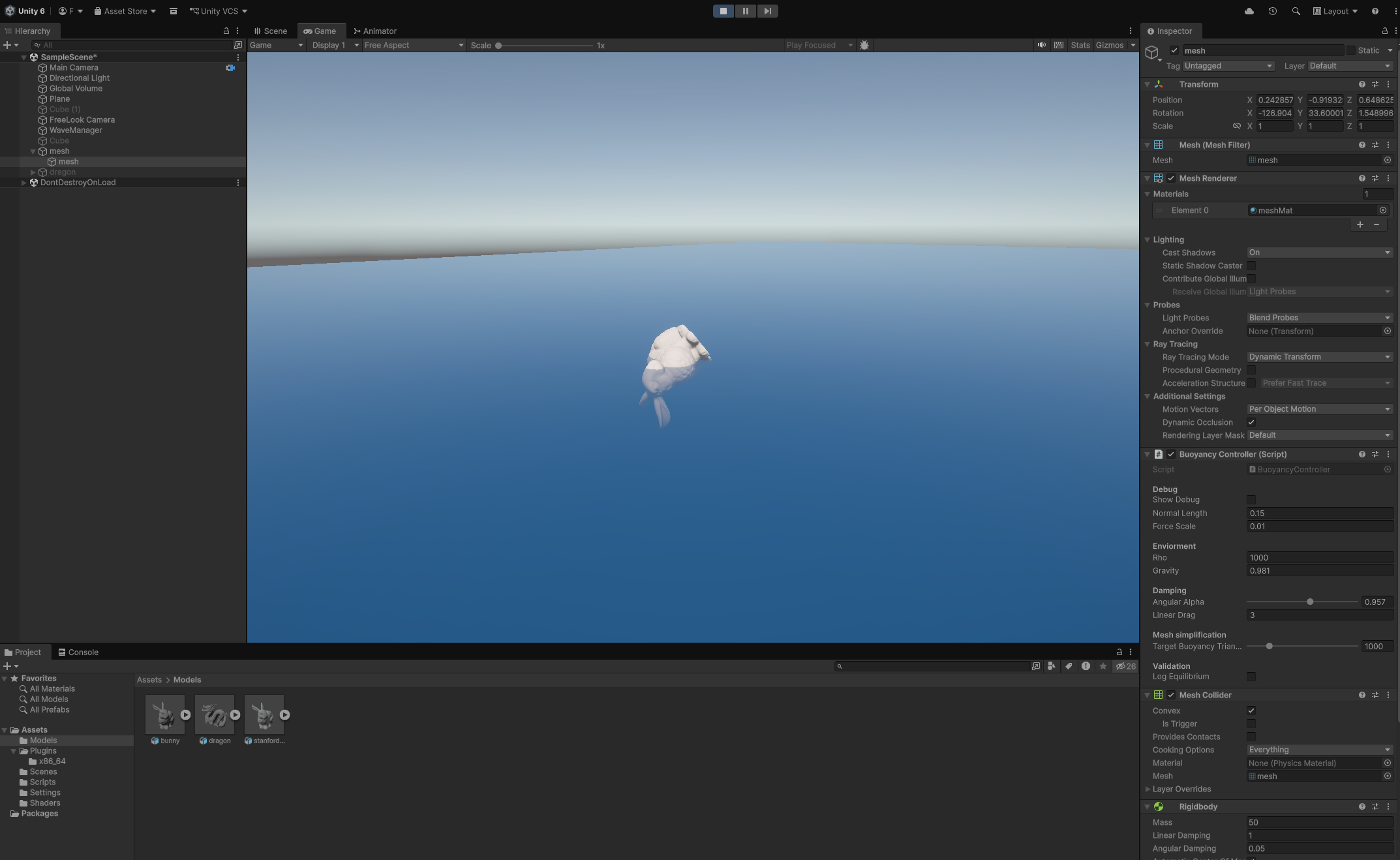
The bunny flies across the map
Drop the bunny in, hit play, it touches the water and instantly cartwheels off the screen. Force magnitudes in the millions, tilt going from 0° to 133° in two physics ticks.
First suspicion was a non-watertight mesh. The original Stanford bunny scan has holes in the bottom where the scanner couldn't see under the base. Without a closed surface, the divergence-theorem pressure integral doesn't cancel correctly and you get a permanent net torque proportional to the open area. Found a fixed version, Greg Turk and Marc Levoy's original scan, holes closed and smooth normals computed by Morgan McGuire, available at cc.gatech.edu as an .obj.
Switched to that and... still flew. Looked at the debug log:
Inertia: (1.00, 1.00, 1.00) Com: (0.00, 0.00, 0.00) lastTorque: 12668100.00
Identity inertia tensor. With N·m and kg·m², you get rad/s². That's your spin.
The root cause: Unity computes the inertia tensor from the Collider, not from the MeshFilter. The bunny's MeshCollider was set to non-convex, which is illegal on a dynamic Rigidbody in Unity (you get a warning in the console). Rather than crash, Unity silently falls back to an identity tensor. The torque from the buoyancy integration was real and correct, the inertia it was divided through by was garbage.
Ticked Convex on the MeshCollider. Unity generates a convex hull, computes a valid inertia tensor, and the bunny floats.
The .obj import gotcha
The watertight bunny came in as a .obj. Unity imports those natively but wraps the mesh in a hierarchy, a parent empty "bunny" with a child "bunny_mesh" that carries the actual MeshFilter. Adding BuoyancyController to the parent gives MissingComponentException because GetComponent<MeshFilter>() doesn't search children. So added GetComponentInChildren<MeshFilter>() in both Start() and OnDrawGizmos(). The Rigidbody can live on the parent, the script finds the mesh wherever it is.
Also need Read/Write Enabled ticked in the mesh's Import Settings, since BuoyancyController calls mesh.vertices at runtime to build the vertex array for the DLL.
82 ms per FixedUpdate
Bunny now floats without exploding, but the profiler is sad,
BuoyancyController.FixedUpdate() [Invoke] 82.77ms
Need lower than 20ms, fixed update runs at 50hz. Cube had 24 vertices and 12 triangles, the Stanford bunny had 30000 triangles. Two cost problems,
- First problem was height sampling, for every vertex, 4 fixed-point Gerstner iterations × 3 waves = 12
sin/cos/sqrtcalls. At 175000 verts that's around 210k transcendentals per FixedUpdate in managed C#. - DLL triangle loop, 30000 triangles through the clip-and-integrate code. Individually cheap but large N.
The buoyancy force computation doesn't need 30000 triangles. It needs enough triangles to capture the essence of the shape. 500 is plenty. The visual mesh rendering still uses the full bunny, the buoyancy simulation doesn't care what it looks like.
So either I could fix it up in blender, or implement a simplifier that runs first.
Runtime mesh simplification
Added UnityMeshSimplifier (Garland-Heckbert quadric edge-collapse, MIT licensed, installable via Package Manager git URL) to the project. In Start(), before building the vertex array:
if (buoyancyQuality < 0.999f)
{
    var simplifier = new UnityMeshSimplifier.MeshSimplifier();
    simplifier.Initialize(mesh);
    simplifier.SimplifyMesh(buoyancyQuality);
    mesh = simplifier.ToMesh();
    Debug.Log($"{name}: simplified buoyancy mesh to {mesh.triangles.Length / 3} tris");
}
mesh is a local variable here, the MeshFilter.sharedMesh on the GameObject is never touched, so rendering is unaffected.
With buoyancyQuality = 0.05 the bunny targets ~1,500 triangles (5% of 30k). FixedUpdate drops from 82 ms to well under the 20 ms budget. Also reduced sampleIterations in WaveManager from 4 to 1. At steepness 0.25 the Gerstner horizontal drift is small enough that the first iteration is already within floating-point precision of the visual surface. Saves 3× on the height sampling cost.
The buoyancyQuality fraction is mesh-dependent, 0.05 on the 700k raw dragon would be 35,000 triangles worse than the bunny's original. Better to expose a direct triangle target and compute the ratio:
[SerializeField, Range(100, 5000)] int targetBuoyancyTriangles = 1000;
// ...
int original = mesh.triangles.Length / 3;
float quality = Mathf.Clamp(targetBuoyancyTriangles, 4, original) / (float)original;
simplifier.SimplifyMesh(quality);
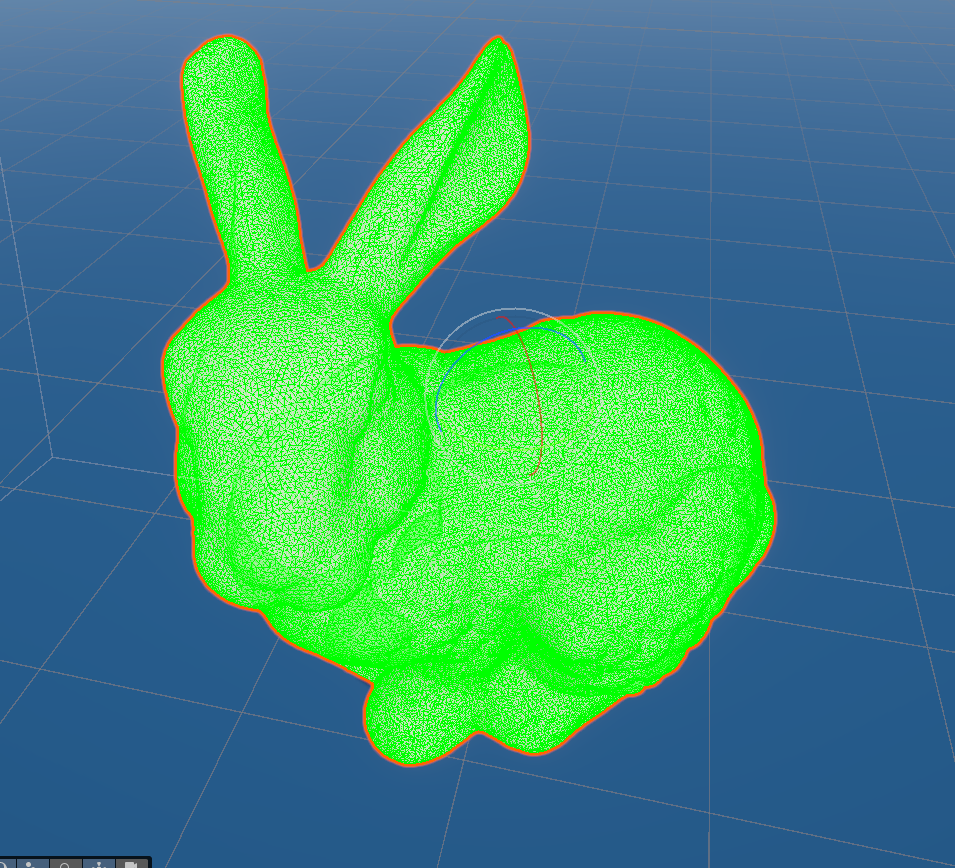
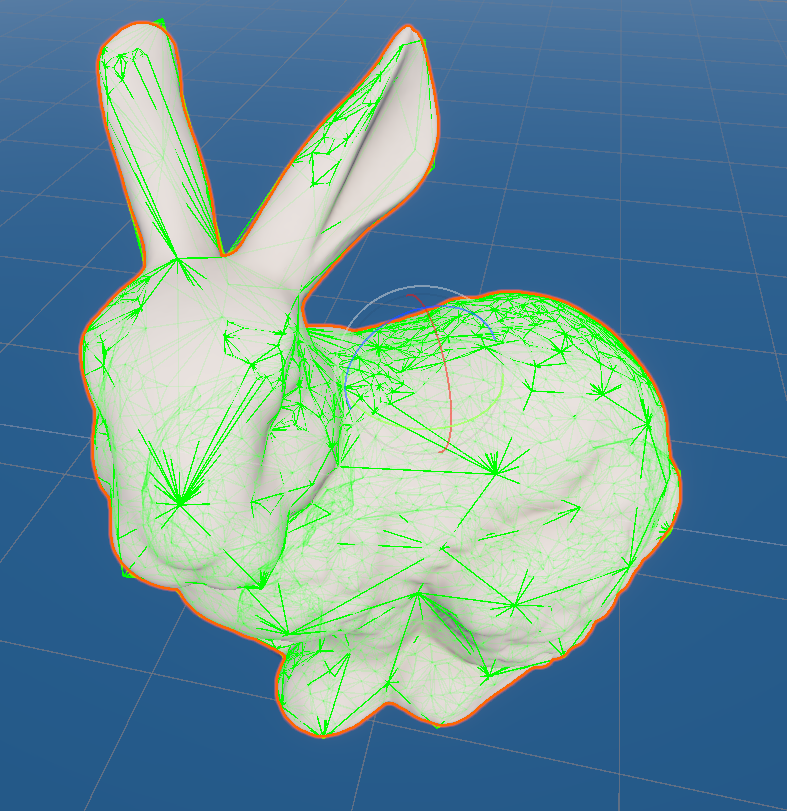
Now the slider means the same thing on every mesh. One caveat, the quadric edge-collapse has a practical floor for these models pushing the target below ~7,000 triangles produces no further reduction, the topology is at its minimum without introducing degenerate faces. 7,000 is still less than a quarter of the original 30k and comfortably within the 20 ms budget. However with many objects like this it might be better to go in to blender and make a lower poly mesh.
Adding the dragon
With simplification working, dropped in the Stanford dragon. Same setup, watertight .obj, convex MeshCollider, GetComponentInChildren. Running both bodies simultaneously at ~250–300 fps with no FixedUpdate spiral. This model is also aviable on cc.gatech.edu.
What the logs actually tell you
The one debug pattern that saved the most time was printing inertia tensor, COM, and torque together each FixedUpdate:
Debug.Log($"Inertia: {rb.inertiaTensor} Com: {rb.centerOfMass} lastTorque: {lastTorque.magnitude:F2}");
(1, 1, 1) inertia immediately fingers the collider. A COM at (0,0,0) on a mesh whose geometric center isn't at the origin means auto-compute isn't working. Torque in the millions means that something is exploding, probably a division with something close to zero. Having all three in one line makes each failure mode distinguishable in a single glance.
The dragon hovers above the water
Bodies floating, but the dragon visibly sits above the wave crest by a noticeable margin. Physics says it's in equilibrium, the eye says it's flying. Two separate bugs piled on top of each other.
parent vs child Transform
I was still using transform.localToWorldMatrix, i.e. the parent's transform, to push vertex positions into the C++ DLL. If the child has any non-identity local position/rotation/scale relative to the parent, every buoyancy vertex was offset by that error. The DLL was integrating pressure over a hull that didn't match the rendered mesh.
Cached the right transform once in Start() and used it consistently:
MeshFilter mf = GetComponentInChildren<MeshFilter>();
meshTransform = mf.transform;          // not this.transform

Matrix4x4 m = meshTransform.localToWorldMatrix;
the debug gizmo was lying
Even after the transform fix, the wireframe gizmo kept showing all triangles as "above water" (green) while the body floated was supposed to be in the water, and clearly received force. That made no sense, until I re-read my own debug code:
// Classify triangle against water plane y=0
bool aBelow = a.y < 0, bBelow = b.y < 0, cBelow = c.y < 0;
Replaced the flat-plane check with a proper wave sample, using the same WaveManager.SampleHeight() the C++ DLL receives:
float ha = wm.SampleHeight(a.x, a.z, time);
float hb = wm.SampleHeight(b.x, b.z, time);
float hc = wm.SampleHeight(c.x, c.z, time);
bool aBelow = a.y < ha, bBelow = b.y < hb, cBelow = c.y < hc;
The visual surface and the sampled surface diverge
WaveManager.SampleHeight() inverts the Gerstner mapping by fixed-point iteration. The shader, by contrast, displaces grid vertices forward, visualXZ = restXZ + horizontalDisp(restXZ), so to answer "what is the water height at world (x, z)?" you have to invert the horizontal displacement, otherwise you're returning the height of the particle that started at (x, z), not the one that's currently there.
I'd dropped sampleIterations to 1 earlier for performance. With three summed waves of steepness 0.25, that single fixed-point step left several centimetres of error visible at the waterline(objects looked like they were flying above the wave), the buoyancy was reading a slightly different surface than the shader was drawing. Cranking it to 4 fixed it visually but tanked frame rate to 10–20 fps. 2 was a tolerable middle ground at 140–200 fps.
The fixed-point iteration is the obvious bottleneck here, each step is three full Gerstner evaluations (three waves × three trig calls each), multiplied by every buoyancy vertex, every FixedUpdate. Newton's method using the analytical Jacobian of the horizontal displacement converges in 1–2 iterations instead of 3–4, so I implemented it.
The key insight, the horizontal displacement is a smooth map , so we can compute its Jacobian analytically and apply a Newton step to solve :
for (int i = 0; i < sampleIterations; i++)
{
    float j00 = 1f, j01 = 0f, j10 = 0f, j11 = 1f;
    Vector3 disp = GerstnerDispAndJacobian(waveA, px, pz, t, ref j00, ref j01, ref j10, ref j11)
                 + GerstnerDispAndJacobian(waveB, px, pz, t, ref j00, ref j01, ref j10, ref j11)
                 + GerstnerDispAndJacobian(waveC, px, pz, t, ref j00, ref j01, ref j10, ref j11);
    float fx = px + disp.x - x,  fz = pz + disp.z - z;
    float det = j00 * j11 - j01 * j10;
    if (Mathf.Abs(det) < 1e-5f) break;
    float dx = (fx * j11 - j01 * fz) / det;
    float dz = (j00 * fz - fx * j10) / det;
    px -= dx;  pz -= dz;
    if (dx * dx + dz * dz < 1e-6f) break;
}
With sampleIterations = 2 the result is indistinguishable from 4 steps of fixed-point, and the per-step cost is only slightly higher (the Jacobian accumulates alongside the displacement in the same loop). Frame rate recovered to the same 140–200 fps as the 1-iteration fixed-point run, but now accurate.
Result
Two meshes that are far more complex than a cube, one 30k tri bunny, one 870k tri dragon, both decimated to around 7k for physics, floating, tilting with the wave slope, and oscillating to equilibrium. Both bodies running together at a stable frame rate. What's left is making the simulation accurate for complex hull shapes, not just stable. The current linear clip-point interpolation introduces error proportional to the local curvature of the wave at the waterline triangle. For small triangles it's negligible, but for large ones, less so. For performance in the buoyancy sim we always want to reduce the high poly mesh to a lower poly mesh with larger triangles.